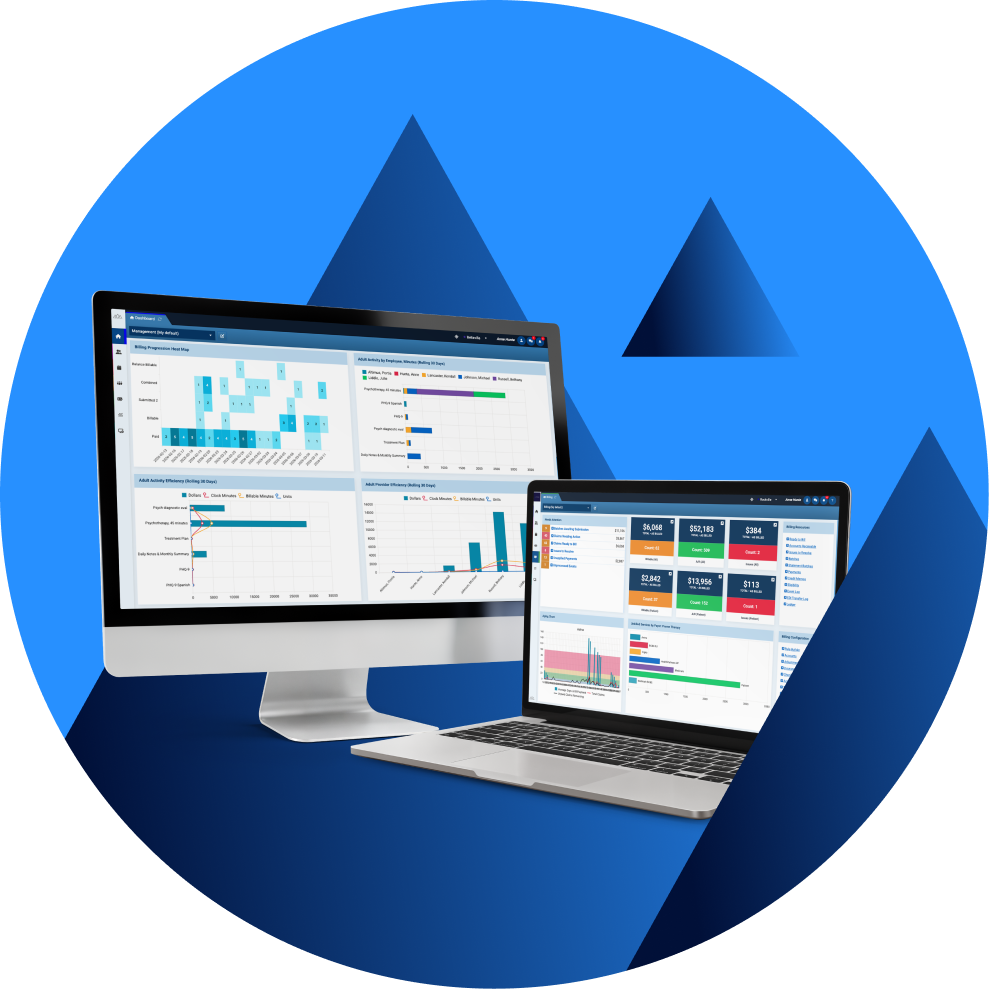

Direct answer: Switching EHR systems means moving clinical, operational, and financial work from one platform to another without interrupting care or losing trustworthy records. In behavioral health it also means protecting confidential records, proving the new system works before you depend on it, and keeping the old information reachable afterwards.
Key takeaways
- Treat an EHR switch as an organization-wide change program, not a file-transfer project.
- Decide what will be converted, archived, or re-entered before asking vendors for a migration quote.
- Validate clinical meaning and workflow behavior, rather than just record counts.
- Build HIPAA, 42 CFR Part 2, state-law, access-control, and retention requirements into the migration plan.
- Rehearse the cutover, train by role, and keep a well-monitored stabilization period after go-live.
- Build a business case with numbers in it: what staying costs, what switching costs, and which measures should move afterwards.
- Plan for three to twelve months, and price migration, archive access, and interfaces separately from the subscription.
- Baseline denial rates, revenue lag, and documentation time before the freeze, otherwise you’ll find it difficult to prove the switch worked.
Switching an electronic health record is a coordinated change-management program. The organization has to keep delivering care while data, workflows, billing, security, and reporting move into a new environment. The safest migrations therefore start well before any data moves.
First, the team needs to agree on why it is changing systems and what must improve. Only then can you decide which information must remain available and what evidence will show that the new environment is clinically and operationally ready.
That agreement must extend beyond technology. Before configuration or migration begins, organizations should align on future workflows, documentation standards, reporting priorities, governance, and decision-making responsibilities. An EHR cannot settle disagreements about how an organization wants to operate, so resolving them early prevents delays later in the process. Modern implementations should meet those decisions primarily through configuration, with custom development reserved for requirements that configuration cannot support.
The Office of the National Coordinator for Health IT advises that careful migration planning helps a new EHR integrate and provide access to historical information. Peer-reviewed research also describes an EHR-to-EHR transition as major organizational change. That’s because it alters workflows and training while raising concerns about data integrity, cybersecurity, and patient safety.
None of this makes switching impossible, but it does make timing and rationale important. A clear strategy and a well-managed migration plan give teams much greater control over the transition, helping them anticipate problems, protect continuity of care, and keep disruption manageable. Before moving ahead, behavioral health organizations need to weigh the work of changing systems against the cost of staying where they are. The case for migration may arise before the current EHR fails, particularly when it restricts the next stage of care, reporting, automation, or AI-supported workflows.
After leading hundreds of EHR implementations, we have seen successful projects follow the same pattern: executive ownership, milestone-based decision-making, clinical validation, and disciplined testing. A structured migration methodology turns those principles into clear decisions about success, testing, training, and support.
The rest of this guide follows that structure, starting with whether the case for switching is strong enough.

When should a behavioral health organization switch EHR systems?
A switch makes sense when the measurable cost, risk, or constraint of the current system outweighs the disruption of changing it. Frustration alone is not a migration strategy. So, start with a documented gap analysis and gather evidence from the people who use the EHR every day.
That evidence is usually easy to come by. Ask a clinician how long a progress note takes, or a biller how many claims they rework each week, and the same few problems surface quickly.
The most common catalysts for a migration that we see are:
- Clinical documentation has become a burden. Clinicians are forced into repeated workarounds when the system does not fit their note formats or treatment plans. Assessments, signatures, and review workflows all create further friction.
- Billing and clinical work are disconnected. Nobody can follow a single session from the authorization, through the note, to the claim and the payment without switching systems or opening a spreadsheet.
- Reporting arrives too late to act. Leaders export to a spreadsheet to answer basic questions about caseload and outstanding notes. By the time the picture is assembled, the month it describes has gone.
- The platform no longer fits the care model. Expansion into new programs or locations may expose gaps that were never previously a problem. So may changes in payer rules or the way services are delivered, whether through groups, community-based care, or ID/D workflows. Sometimes, supporting these changes requires costly customization or separate tools entirely.
- Usability is undermining adoption. Too many clicks and confusing navigation increase rework. When configuration is limited or support is poor, the downstream impact comes in the form of delays to both care and claims.
- The organization cannot get clear answers about data access. The organization may not know which export formats it will receive, what a transition will cost, or how much support continues after termination. Ongoing access to historical records may be uncertain too.
- Security, privacy, or reliability concerns remain unresolved. The current vendor cannot demonstrate that its safeguards and access controls work in practice, or show what happens when something breaks.
What organizations are moving toward?
Many organizations still rely on multiple disconnected tools for documentation, reporting, analytics, and workflow automation. Moving information between these systems creates extra work, raises the risk of errors, and limits the organization’s ability to act on data in real time.
This is pushing many organizations to start evaluating AI-native platforms alongside traditional EHRs. AI capabilities can be added to many systems, but feature lists reveal little about how well those tools connect to the overall user experience. A bolt-on tool may add another contract and integration to manage. But in an AI-native platform, those capabilities are built into the core workflow and can work directly with the record as care is delivered.
That distinction is important when you scope a migration. If the current system cannot support the way you want to work, assess what the replacement can do with your data once it lands as well as how reliably it gets there.
Measure the cost of staying before you measure the cost of switching
Subscription fees are one of the smallest parts of the picture. Start with the time your team already loses each week to fixing documentation and chasing data between systems. Add what it costs to rebuild reports by hand, reschedule appointments, and correct claims, plus any bolt-on tools you pay for because the EHR cannot do the job. Set that recurring total against the one-off cost of switching, which includes training, a temporary dip in productivity, a spell of paying for both systems, and support after go-live.
Yet, financial costs are only part of the baseline. Before the project starts, measure things like documentation completion time, unsigned notes, authorization delays, claim denials, days in accounts receivable, no-show rates, scheduling efficiency, and user satisfaction. These figures give stakeholders a practical benchmark for judging the implementation after go-live.

What does EHR data migration include?
EHR data migration means pulling information out of your old system, reshaping it to fit the new one, moving it across, and proving it arrived intact. It ends in the new EHR (or approved archive).
Importing a file is only one part of the process. The receiving team must also preserve clinical meaning, relationships between records, privacy restrictions, and the ability to locate information when it is needed most.
Migration also depends on preparing the destination environment before production data is loaded. Configuring roles, permissions, clinical forms, billing rules, scheduling, reporting, and workflows first helps migrated data behave as expected and makes testing far more useful.
Behavioral health records need more care than most. Anything that sits in a defined field, such as a date, a code, or an address, usually maps across cleanly. But the parts that carry the full clinical story do not. Long-form notes, scanned documents, and anything bearing a signature often need their own handling to stay readable, findable, and compliant.
Service authorizations and claims must remain connected to the workflows they support, and information that is subject to heightened confidentiality needs the right protection. Therefore, each category needs a clear destination and its own acceptance test.
| Data area | Examples | Migration decision and test |
|---|---|---|
| Identity and administration | Demographics, contacts, guarantors, identifiers, locations, referral sources | Confirm patient matching, required fields, duplicates, and active/inactive status |
| Clinical summary | Diagnoses, allergies, medications, problems, care team, alerts | Verify codes, dates, status, source, display, and clinical meaning |
| Behavioral health documentation | Assessments, treatment plans, progress notes, group notes, signatures | Confirm authorship, service date, version, signature, and amendment history |
| Scheduling and active work | Appointments, waitlists, tasks, reminders, recurring services | Test time zones, recurrence, provider assignment, status, and future dates |
| Billing and revenue cycle | Payers, coverage, authorizations, charges, claims, denials, payments | Reconcile balances and test the path from documented service to claim |
| Documents and attachments | Consents, releases, external records, scans, correspondence | Check file integrity, patient linkage, labels, dates, and searchability |
| Privacy and consent | Restrictions, SUD-related records, consent status, disclosure information | Apply current HIPAA, Part 2, state-law, and organizational rules |
| Audit and provenance | Source system, migration batch, original identifier, correction log | Make migrated information traceable and preserve required audit evidence |
The exact record set and retention approach should be approved by clinical, privacy, legal, health-information-management, billing, and technology owners for the organization.
Choose a migration model before choosing a migration tool
You do not have to move every piece of legacy data into the same part of the new EHR. Start by deciding what clinicians, billing teams, and patients will actually need after go-live, and whether the old records are accurate enough to rely on. Legal retention rules and the new system’s capabilities will narrow the options, while cost and likely usage help determine what is practical.
In most migrations, that leads to one of three models:
- Full conversion: moves the broadest practical set of structured and unstructured information into the new platform. It can improve convenience, but it requires more mapping and testing. It also costs more and can carry duplicate or low-quality data into the new system.
- Selective conversion: moves your active clients and the records you rely on day to day, and leaves the rest in a secure archive. It is simpler and cheaper, on one condition: staff must be able to find what is in the archive, and you must document what was left out.
- Hybrid migration: combines bulk conversion, document import, manually re-entering a small number of critical facts, and read-only access to the old system. It is often the most realistic option when source data is inconsistent or systems represent the same information differently.
Do not confuse “not converted into a live field” with “not retained.” Historical records may still be needed for day-to-day care or patient access. They may also have to remain available for audits, payer reviews, litigation holds, and applicable retention periods. Confirm requirements for every state and service line in which the organization operates.
How long does switching EHR systems take?
A behavioral health EHR migration usually takes three to twelve months. A small practice with tidy data and few connections to other systems may go live in six to twelve weeks, while an organization with 10 to 50 clinicians should generally plan for three to six months. Multi-site providers with complex integrations and state reporting obligations often need far longer, from nine to eighteen months. Data quality and the number of connected systems usually shape the schedule more than staff numbers do.
A practical way to plan the timeline is to break the migration into phases and identify the variables that can lengthen each one.
| Phase | Typical duration | Main variables |
|---|---|---|
| Discovery and scoping | 2 to 6 weeks | Stakeholder availability, programs and locations, contract review |
| Extraction and mapping | 6 to 20 weeks | Export formats, source data quality, custom fields and note types |
| Configuration and testing | 6 to 18 weeks | Service codes, claim rules, defect volume, retest cycles |
| Cutover | 1 to 7 days | Freeze window, final delta load, reconciliation |
| Stabilization | 2 to 12 weeks | Adoption, ticket volume, interface stability |
The work involved depends heavily on the structure and condition of the source data. A clean, documented export is usually more predictable to convert, while scanned charts, free-text notes, and inconsistent fields may require additional manual work. Give every vendor the same migration scope and ask each one to state its assumptions, dependencies, exclusions, and responsibilities.
Connected vendors can be just as important to the schedule. Clearinghouses, e-prescribing, PDMP, telehealth, laboratory interfaces, payment processors, SMS providers, state reporting services, and other third parties may each require enrollment, credentials, certificates, and testing before go-live.

An eight-step behavioral health EHR migration process
Step 1: Build the migration team and define success
Name two people: an executive sponsor who can unblock decisions, and a migration lead who runs the project day to day. Around them, put someone from each part of the business the switch will touch, including clinical, front desk, billing, compliance, records, IT, and the vendor.
Write success criteria before configuration begins. Describe it in terms your team would recognize. Clinicians can open the charts they need. Notes are signed and complete. Next month’s appointments are right. Open balances match. Nobody is locked out of work they are supposed to be doing. Anything vaguer than that cannot be tested.
Step 2: Secure exports, transition support, and legacy access
Read your current contract before you tell anyone you are leaving. While you are still a paying customer you have leverage you will not get back. The ONC EHR contract guidance sets out what to look for, which includes how your data will be handed over and converted, what format the history arrives in, and what access, deadlines, and fees apply while you move. An export can tick every technical box and still be useless. One that arrives without the links between records, without documentation, or three weeks late will create more problems than it seeks to solve.
Work through the contract and the export together, and get written answers on each of the following.
- List every export you can get, its format, and whether it comes with a data dictionary, meaning a document that explains what each field actually holds.
- Confirm who will perform extraction, field mapping, conversion, and validation.
- Set dates for test exports, final export, corrections, and any delta load.
- Agree the cost and duration of read-only legacy access and post-termination support.
- Define how and when the outgoing vendor will return or delete data after obligations are met.
Settle all of this before you give notice. Once the relationship is ending, the outgoing vendor has little reason to hurry, and an export that turns up late or without documentation can hold up everything behind it.
Step 3: Audit the organizational footprint and set scope
Build an inventory of what the organization actually runs. Include:
- Programs and locations
- Providers and user roles
- Service codes and payers
- Forms and note types
- Interfaces and reports
- Every connected vendor.
Clearinghouses, telehealth platforms, e-prescribing services, payment processors, SMS providers, laboratories, and other third parties may require their own enrollment, certificates, and testing. Record the historical volume behind each item so the conversion can be sized. Separate active work from closed or archived material, and identify records subject to special handling, litigation hold, payer review, or state-specific requirements.
By the end of this step, the team should have a signed scope matrix. This is simply a table in which every category of data is marked convert, archive, re-enter by hand, rebuild, or retire. The matrix should also name the owner, source, destination, transformation rule, validation method, and exception process.
Step 4: Map and clean clinical data and workflows
Map each piece of information by meaning as well as location. A “status” field in one system may not match the workflow or allowable values in another. SOAP, DAP, and BIRP notes may use different structures, as may assessments, screenings, treatment plans, and portal forms. Signatures, amendments, group documentation, service-linkage rules, and treatment-plan goals may also behave differently after conversion.
Clean the source data before the first test load. Migration is a useful opportunity to retire technical debt before it reaches the new system.
Make sure to:
- Remove test records and resolve duplicate patients through an approved patient-matching process.
- Exclude inactive providers, unused service codes, closed or obsolete locations, and inactive payers from the active build unless a documented requirement says otherwise.
- Retire obsolete forms and outdated reports, while preserving any historical content that must remain available.
- Normalize the fields that differ between systems, particularly dates, codes, provider identities, and payer names.
- Document fields that cannot be converted without losing meaning.
- Preserve source identifiers and migration-batch details so exceptions can be traced.
- Use clinicians and billing specialists to approve mappings that affect care or reimbursement.
Step 5: Configure the destination EHR before the main load
Configure the destination EHR before loading production data so testing reflects the way the organization will work. Set up clinical forms, treatment-plan logic, scheduling, service codes, billing rules, homepages, role-based permissions, dashboards, alerts, work queues, authorizations, reports, and operational workflows. Use configuration wherever possible and reserve custom development for requirements the platform cannot support.
Test the full path from intake through to a paid claim, including documentation, charge creation, submission, remittance, and reporting. A clinical migration can appear successful while billing or reporting fails downstream.
Connected systems need their own plan. Rebuild and test laboratory and toxicology feeds, e-prescribing and EPCS, the state PDMP, clearinghouse and payer connections, telehealth, payment processing, SMS, and Medicaid or behavioral health authority reporting. Enrollment and certification lead times often set the go-live date.
Step 6: Build security, privacy, and compliance into the transfer
HIPAA protections apply throughout the migration. So, identify where protected health information will exist during extraction, transformation, testing, validation, and loading; who can access each copy; how it will be protected; and when it will be securely destroyed. Include temporary storage and every outside party that can reach the data, then test access controls, backups, and logging in the new system. Agree the incident response and disposal process before any data moves.
Five controls carry most of the risk during the transfer itself:
- Confirm business associate agreements and approved responsibilities before any vendor handles protected information.
- Give people the least access they need to do the job, under named accounts rather than shared logins, with multi-factor authentication and permissions that expire when the migration ends.
- Protect data in transit and at rest with reasonable and appropriate safeguards, and keep keys separate from exported data.
- Maintain an inventory of every copy, location, transfer, recipient, and deletion decision.
- Reconcile current 42 CFR Part 2, state-law, consent, disclosure, and breach-notification requirements with the new workflow.
Behavioral health note: Compliance with the 2024 Part 2 Final Rule was required by 16 February 2026. Organizations that create, receive, maintain, or transmit SUD records should verify current consent, notice, disclosure, breach, and SUD counseling-note workflows before migration. This guide is for general information purposes and is not supplied as legal advice.
Step 7: Test in a sandbox and validate the result
Run at least one representative test load before the final cutover and make sure to cover more than the straightforward records. Include older material, attachments, restricted consent conditions, and the cases staff describe as ‘unusual’. Keep a defect log with severity, owner, root cause, correction, retest status, and sign-off.
Compare source and destination counts first, then inspect clinically and financially meaningful samples. Confirm that users can find, understand, and act on the information. If a migrated field displays correctly but does not trigger the intended workflow, the migration is not complete.
Step 8: Train, rehearse the cutover, and stabilize after go-live
Train by role using the organization’s configured workflows and realistic cases. Identify product champions in clinical, billing, front-desk, and management teams. Rehearse the whole sequence. Stop new entry in the old system, take the final export, capture anything that changed after it (the delta), load, reconcile, approve, then switch everyone across. And make sure to agree the downtime message and rollback decision point before the day itself.
Baseline the numbers you intend to improve before the freeze. Denial rate and revenue lag show whether billing survived the move; time from session to signed note and the unsigned-note backlog show whether clinicians can work in the new system. Without a pre-migration figure the organization cannot separate a migration problem from one it already had. Monitor daily at first, then review at 30, 60, and 90 days.
Choose a cutover model and set downtime expectations
The cutover model decides how much risk lands in a single window, so pick it early.
| Cutover model | How it works | Expected downtime |
|---|---|---|
| Big bang | Every program and location moves on one date after a single freeze and final load | A few hours to 24 hours |
| Phased by site or program | Groups of sites or programs move in sequence over several weeks | Hours, limited to each group |
| Phased by module | Clinical and billing move on separate timelines | Hours per module |
Whichever cutover model you choose, agree the rollback plan before go-live. Define the specific triggers, such as confirmed data loss, a patient-safety issue, failure of a revenue-critical interface, or reconciliation variance above the agreed threshold. Name the person or group with authority to pause, proceed, or roll back, and make sure support is visible immediately after launch. Plan at least 72 hours of intensive support, often called hypercare, with one named person in charge on the day, extending that support to two to four weeks for phased or multi-site rollouts.
When the planning is done well, the cutover is usually straightforward. The preparation that keeps everything running smoothly happens weeks in advance.

EHR migration acceptance criteria
Clear acceptance criteria define the evidence needed to show that the migration has been completed correctly. Each criterion should name an owner, define the sampling method and pass threshold, state where the evidence will be stored, and identify who will provide formal approval. For example, the finance lead reviews 50 claims across five payers and confirms that every balance matches to the cent. The working papers are saved in the migration folder. This creates a clear test that can be passed or failed.
| Area | Example pass condition | Primary sign-off |
|---|---|---|
| Patient identity | Expected patients reconcile; duplicate and merge exceptions are resolved | Operations |
| Clinical facts | Diagnoses, allergies, medications, alerts, and care-team data retain meaning | Clinical lead |
| Documentation | Notes, plans, assessments, authorship, signatures, and dates display correctly | Clinical + compliance |
| Scheduling | Future and recurring appointments, status, provider, location, and reminders are correct | Operations |
| Billing | Coverage, authorizations, charges, balances, claims, and remittance samples reconcile | Finance |
| Documents | Files open, match the right patient and encounter, and remain searchable | Health Information Management (HIM) |
| Access and privacy | Roles, restrictions, logs, consents, and special handling work as designed | Privacy + security |
| Legacy access | Authorized users can retrieve non-converted history within the required time | Legal / HIM / IT |
Common EHR data migration challenges and how to reduce them
- Incomplete or late exports. Reduce the risk with contractual deadlines, test extracts, documented formats, escalation paths, and a final-delta plan.
- Fields that look similar but mean different things. Use a shared data dictionary and require operational or clinical owners to approve transformations.
- Migrated data that does not drive the new workflow. Test alerts, authorizations, signatures, charge creation, reporting, and downstream interfaces with real scenarios.
- Data drift during parallel operation. Decide which system is the official record during the changeover, what staff may still do in the old one, and who checks the two match before you switch it off.
- Duplicate or low-quality legacy records. Apply documented cleanup and patient-matching rules before conversion, then preserve a correction log.
- Too much data in active screens. Separate information needed for current care from material that can remain in a compliant archive.
- Training that begins after configuration is finished. Include end users during design, test role-based workflows, and maintain support after launch.
- Legacy access ending too soon. Confirm retention, patient access, payer, audit, and legal needs before terminating the source or archive.
What is different about behavioral health and SUD records?
A migration may therefore need to preserve the clinical story across assessments, treatment plans, and progress notes while keeping group services and outcomes intact. Authorizations, releases, and the documentation linking care to billing must also be carried over. A single patient may have records governed by different disclosure rules or state protections.
Current 42 CFR Part 2 requirements align some uses and disclosures more closely with HIPAA, but Part 2 remains a distinct federal confidentiality framework for records maintained by covered SUD programs and other lawful holders. Migration teams should first identify applicable records and confirm the relevant notice and consent requirements. They also need to protect SUD counseling notes and preserve restrictions on their use in proceedings. Breach reporting belongs in the incident plan.
Treat a generic “behavioral health” flag as a starting point only. The organization’s privacy lead and counsel should define the rules, the system should be configured to support them, and test cases should prove that authorized and unauthorized users see the correct result.
An EHR change also touches accreditation evidence. CARF, COA and Joint Commission surveys rely on documentation templates, treatment plan structure, timeliness records, and audit trails, so confirm the rebuilt versions still meet those standards and that historical evidence stays retrievable. ASAM assessments, MAT and OTP records, and state reporting formats each need checking before cutover.
How Proven500 applies these best practices
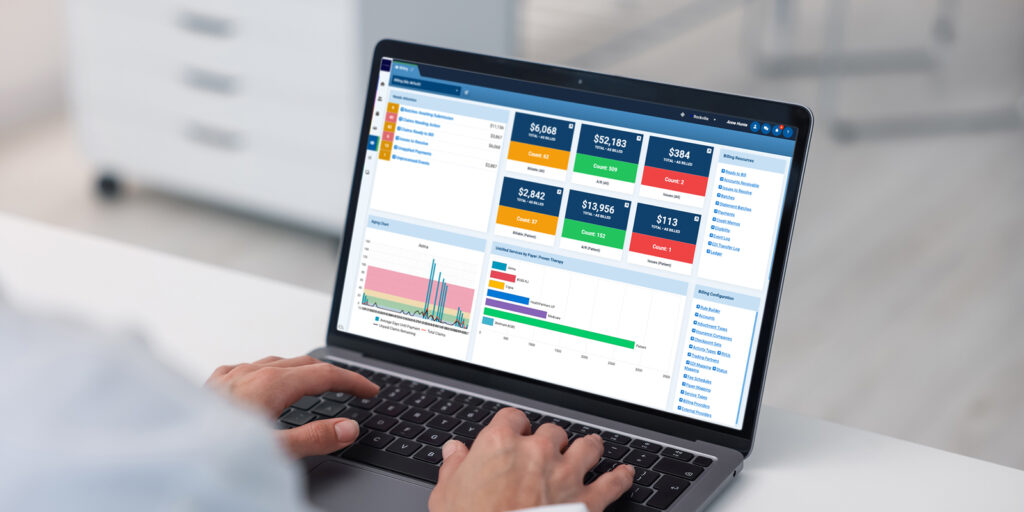
At Proven, we developed Proven500 from experience gained through more than 500 behavioral health EHR implementations. The methodology gives each project a clear structure for decisions, validation, and approval.
ProvenEHR is built specifically for behavioral health, ID/D, and physical therapy providers. Proven500 complements the software with a milestone-based approach that helps organizations reduce implementation risk and prepares staff to adopt and manage the system with confidence.
The method configures the destination environment, validates real-world workflows, trains users by role, and confirms readiness at each milestone before production data is loaded or the project moves forward.
- Milestone-based implementation: Each implementation follows a structured sequence of milestones with defined deliverables, validation activities, and client approvals. This keeps the project aligned, surfaces issues early, and gives both teams a shared definition of success throughout the implementation.
- Configuration before migration: Production data is loaded after the destination environment is ready. Proven works with the client team to configure clinical documentation, scheduling, billing workflows, security roles, permissions, dashboards, reports, and operational workflows so migrated data functions correctly from day one.
- Validation beyond record counts: Record counts are an initial check. Proven500 also tests clinical documentation, scheduling, authorizations, billing workflows, reporting, and operational processes before go-live. Each implementation includes structured testing, documented issue resolution, and milestone sign-offs.
- Knowledge transfer and self-sufficiency: Throughout implementation, Proven teaches administrators how to configure forms, modify workflows, build reports, and manage dashboards. This gives the organization more control over routine operational changes and reduces its dependence on professional services.
- Structured go-live and stabilization: Support continues after go-live. Proven’s implementation and Partner Services teams provide a structured stabilization period to resolve issues quickly, monitor adoption, and help the organization move confidently into day-to-day operations.
Built by behavioral health professionals
Proven’s implementation team understands behavioral health operations as well as healthcare technology. Our leadership team has collectively overseen more than 500 behavioral health implementations, supported thousands of concurrent users, and helped organizations process more than $4 billion in annual claims. That experience helps teams anticipate common problems before they delay the project.
Depending on the agreed migration scope, Proven imports historical clinical and operational information so clinicians can continue treatment with the context they need, while maintaining appropriate access to legacy information that remains outside the active EHR. The team works alongside the client throughout implementation to validate workflows, train staff, and prepare the organization to manage the system over the long term.
Support scales with the size and complexity of the organization, from standard ticketing and phone support to white-glove concierge services and 24/7 coverage for more complex operational requirements.
Whether you are evaluating replacement options or building a migration plan, the Proven team can discuss implementation strategy, migration planning, and lessons learned from hundreds of behavioral health deployments.
Explore ProvenEHR’s behavioral health EHR software and clinical and operational use cases, or talk with the Proven team about your organization’s workflows and migration goals.
Frequently asked questions about switching EHR systems
How long does it take to switch EHR systems?
Most behavioral health migrations take three to twelve months from discovery to go-live. A small outpatient practice with clean data and few interfaces can switch in six to twelve weeks; multi-site organizations with complex interfaces routinely take nine to eighteen months. There is no safe universal timeline. Organization size and the number of programs or locations set the baseline. Source-data quality and conversion scope shape the migration work, while interfaces and configuration affect build time. Testing, training, contract deadlines, and vendor capacity can extend or constrain the schedule. Build backward from the approved cutover, allowing for test and correction cycles before rehearsal and stabilization.
Every organization is different, so ask prospective vendors to explain the assumptions behind their timeline and the factors most likely to affect your implementation schedule.
Can an organization switch EHRs without losing data?
Yes, but only after the source data and the definition of “complete” are understood. The migration needs a controlled scope and reliable exports, with secure transfer and repeatable mapping. Representative testing should combine reconciliation with documented exception handling. The team also needs continued access to any required legacy information. A vendor should not promise zero loss before the source has been audited and “complete” has been agreed.
Does every legacy record need to be migrated into the new EHR?
Not necessarily. Many organizations convert active and clinically important records, archive older history, and re-enter a handful of critical facts by hand. What you choose depends on what clinicians need, what patients can ask for, how long the law says you must keep it, and how good the old data actually is.
What is the first step in an EHR migration?
Decide who owns the project and what is in scope. Write down why you are switching, list the systems and workflows involved, read the exit terms in your current contract, and agree how you will judge success. All of that comes before anyone configures or converts anything.
How should migrated EHR data be validated?
Should the old EHR remain available after go-live?
Usually, yes. You will still need the history you did not convert, whether for a patient request, an audit, a payer review, or simply to work out what a record used to say. Agree the access period, cost, security, retrieval method, and eventual disposal before the legacy contract ends.
How does HIPAA apply during EHR data migration?
HIPAA safeguards apply from the first extraction until the last backup or temporary copy is securely disposed of. They also cover storage, transfer, testing, and go-live. The risk analysis should lead to clear access limits and data protection, supported by logs and incident procedures. Vendor responsibilities should be documented.
How should 42 CFR Part 2 records be handled when switching EHRs?
What is the difference between EHR migration, archiving, and backup?
What should I look for in an EHR implementation partner?
Assess the vendor’s implementation method alongside the software. Ask how the team handles project governance, data migration, workflow configuration, role-based training, testing, milestone approvals, and support after go-live. Request examples showing how they validate migrated data, manage implementation risks, and prepare clients to operate the system independently. The vendor’s experience and implementation process have a direct effect on the outcome.
Plan the transition around continuity of care
A successful EHR migration gives the right people trustworthy information without weakening privacy or billing continuity. The intended workflow should function from day one so teams can focus on safe care. Moving more data is useful only when it supports those outcomes.
Next steps
Planning a behavioral health EHR change? Book a tailored conversation with Proven to review your workflows, reporting needs, and migration questions.