
Direct answer: An AI-native EHR is an electronic health record in which artificial intelligence operates within the platform’s shared data, permissions, workflows and audit controls. An AI add-on performs a more limited task through a separate application or integration, often with a separate licensing cost.
Key takeaways
- AI-native describes how intelligence is built into a platform, not simply whether the EHR has an AI feature.
- An AI scribe can be useful, but a scribe alone does not make an EHR AI-native.
- The strongest test is whether AI works across governed workflows without creating extra systems, copies of data or manual handoffs.
- AI-native does not mean autonomous. Clinicians and other responsible professionals should remain in control of final decisions and records.
- Behavioral health organizations should evaluate the whole path from intake and treatment planning to documentation, billing and reporting.
- Because AI-native is not a regulated label, buyers should ask vendors to demonstrate the architecture and workflow behind the claim.
Artificial intelligence is appearing in almost every corner of healthcare software. EHR vendors are adding functionality like AI scribes, automated summaries, coding suggestions, patient messaging tools and analytics assistants. Alongside them, standalone AI products promise to connect to almost any existing EHR.
The result is a crowded market, and an often-confused collection of labels. “AI-enabled,” “AI-powered,” “AI-first” and “AI-native” are too frequently used as though they mean the same thing. We’re here to tell you, they do not.
The difference affects how much context the AI can use, where its output goes, how easily staff can review it, and whether the technology improves an entire behavioral health workflow or simply makes one task faster.

What is an AI-native EHR?
An AI-native EHR is an electronic health record in which AI is part of the platform’s underlying architecture and workflows, rather than a separate product attached to the record. AI-native is about where AI operates, what information it can appropriately use, what workflows it can participate in, and what happens to its output.
In practical terms, native AI can work with permitted information from across the platform while still following the EHR’s existing user permissions, clinical controls and audit requirements. It can support connected workflows instead of producing an isolated output that staff must manually transfer into another system or rely on a separate integration.
For example, a standalone AI scribe might record an encounter, create a draft behavioral health progress note and send that note back to the clinician. That can save a lot of time, but it only addresses the documentation stage.
Whereas an AI-native behavioral health EHR, like ProvenEHR, can use the same governed platform data to support preparation for the encounter, documentation, clinical review, treatment-plan workflows, operational reporting and other downstream processes. In other words, its AI features are capable of supporting the entire care lifecycle.
A common misconception is that AI-native means the system acts independently. But true AI-native behavioral health software still requires clinical and operational decisions to have human judgment. The purpose is to give the right people better support within the workflows they already use.
It is also important to recognize that “AI-native” is not currently a regulated or certified label. Vendors can, and do, use the term differently, so buyers need to look beyond the label and examine how the platform actually works.
AI-enabled, AI-powered and AI-native EHRs
There is no single industry-wide definition separating every AI label. However, the terms generally describe different levels of integration.
| Area | AI add-on or AI-enabled EHR | AI-powered EHR | AI-native EHR |
|---|---|---|---|
| Basic meaning | A conventional EHR with one or more connected AI features | AI supports several important functions | AI is embedded in the platform’s architecture and workflows |
| Example | A separate AI scribe connected to an EHR | AI documentation, messaging and coding tools | AI works across shared clinical and operational workflows |
| Data access | Usually limited to information sent to the tool | Broader, but often fragmented | Governed access to selected platform data |
| Workflow reach | One task or department | Several selected workflows | Connected workflows across the platform |
| Output | Text, alert or recommendation | Multiple types of assistance | Assistance embedded within existing structured workflows |
| Governance | May involve separate controls and audit logs | Varies significantly by implementation | Designed to use platform permissions and controls |
| Commercial model | Often an additional subscription | May be included or separately licensed | Core AI capabilities usually included in the subscription, though specific capabilities may be priced separately |
The label matters less than the evidence behind it. A vendor can describe its EHR as “AI-native,” but that does not prove the platform’s data, permissions and workflows are genuinely connected in practice.
Nor is company age a reliable indicator, because a long-established EHR may have modernized its architecture to support AI, and still not be truly AI-native. Equally, a newer product may still depend on loosely connected third-party tools. Neither is ideal if you’re on the search for a seamless AI-supported workflow.
The questions buyers should ask vendors are: where does the AI live, and how does work move through the system?
AI-native EHRs versus AI add-ons
An AI add-on is a separate product that connects to an EHR to perform a particular function. A few common examples include:
- Ambient documentation and AI scribe tools
- Automated note summarization
- Coding assistance
- Patient messaging
- Clinical decision support
- Business-intelligence tools
- Compliance and documentation-review software
These products can be useful if you’re a behavioral health organization wanting to improve a contained workflow without replacing the existing EHR. A specialist add-on could offer the niche functionality the current platform does not.
Although, the limitations start to become more significant when an organization accumulates several separate tools or expects an add-on to improve workflows beyond the task it was designed to handle.
Limited clinical and operational context
An add-on generally receives a selected set of information through an API, file upload, browser extension or other integration. That means it might not have access to the complete context held elsewhere in the EHR.
For example, a documentation tool might draft a progress note without understanding the organization’s treatment-plan workflow, authorization status, previous corrections, payer requirements or internal review process. More data is not always better, and access must remain appropriately limited, but an AI tool cannot reliably use context it never receives.
Separate systems and duplicate data
Each additional application can create another place where information is processed, stored or retained. Staff may need to move between interfaces, maintain separate accounts or reconcile outputs when the add-on and EHR contain different sets of information.
In some workflows, clinicians still need to copy an AI-generated result into the official record manually. These handoffs create extra work, which is exactly the problem the tool is seeking to solve.
Narrow write-back capabilities
Some AI integrations can read information from an EHR but have limited ability to update structured workflows. There is a major difference between generating a block of text and placing verified information into the appropriate part of the record. Yet, the second part is where a lot of the value sits.
A tool could draft a note but remain unable to update a task, connect documentation to an active treatment-plan goal or route an item for the correct review.
Separate security and governance controls
One of the key considerations for behavioral health organizations is that third-party AI tools can introduce an additional vendor, which brings with it another set of permissions, audit history, retention policies and security reviews. That does not automatically make the tool unsafe, but it does add an extra layer of complexity.
With native AI, those controls should be aligned with the wider EHR platform rather than managed across a collection of disconnected systems.
Additional costs and administration
Finally, an AI add-on brings an additional subscription fee, and that’s only one part of the cost. You may also need to account for integration work, implementation, user training, vendor management, security assessments, support and the staff time required to reconcile data between systems.
An inexpensive tool can become costly if it introduces another workflow that supervisors, clinicians, billers and IT teams must maintain.

The Proven native AI Test
Since “AI-native” is not a regulated label, behavioral health organizations should adopt a practical way to evaluate what vendors claim. These six tests will help you distinguish a genuinely native platform from a collection of AI features.
1. The data test
Can the AI use the permitted context it needs without creating an unmanaged copy of the record?
Ask the vendor to show where the AI receives its information. Identify whether it can work with relevant longitudinal data or only content provided during the current interaction.
Native access should never mean unrestricted access. In other words, AI should follow the same role-based permissions and privacy rules that govern the wider platform.
2. The workflow test
Does AI support a connected process or one isolated task?
Ask the vendor to demonstrate a complete workflow rather than a single feature. In a behavioral health context, that could include preparing for an appointment, reviewing relevant information, documenting the service, completing clinical review, managing outstanding work and then supporting pre-billing controls.
3. The action test
Can the system act within structured workflows, or does it only generate text?
Ask whether the output can be routed to the correct person, rejected, edited and tracked. The goal should be to reduce unnecessary handoffs while preserving human responsibility.
4. The governance test
Do AI functions inherit the platform’s permissions, review requirements and audit controls?
The vendor should demonstrate role-based access, draft-versus-final status, human review, correction workflows, audit history, incident escalation, change management and data-retention controls.
5. The continuity test
Can information move across clinical, operational and financial workflows without being recreated?
A service may involve scheduling, eligibility, assessment, authorization, treatment planning, documentation, supervision, claim preparation, payment and outcomes reporting. But if each stage uses separate data and separate tools, one faster task may simply move work downstream.
6. The economics test
What additional products, licenses and integrations are required?
Ask for the complete operating cost, including AI feature licensing, third-party subscriptions, business-intelligence software, integration fees, implementation, support and training. Many AI-native platforms include core AI capabilities in the subscription but may charge separately for specific capabilities, such as ambient listening. Ask the vendor to list which AI features are included and which are licensed separately.
Our guide on how to choose a behavioral health EHR explains how to assess clinical workflows, billing, reporting, implementation and total cost alongside AI.

Why AI-native architecture matters in behavioral health
Behavioral health organizations manage workflows that are difficult to support with generic healthcare software. They may provide services across multiple programs, locations, funding arrangements and levels of care while coordinating clinical documentation with treatment plans, authorizations, supervision, scheduling and billing.
A workflow might look like this:
Intake → eligibility → assessment → treatment plan → appointment → documentation → clinical review → claim → outcomes reporting
An AI documentation add-on can help with one part of that chain. It may generate a progress note more quickly, but it does not necessarily know whether an authorization is approaching its limit, whether a treatment plan requires review or whether the documentation is ready to enter the organization’s billing workflow.
An AI-native behavioral health EHR is specifically designed to operate within the wider environment. This is particularly relevant for community mental health programs, substance use services, Medicaid and managed-care requirements, multiple locations, group encounters, clinical supervision, ID/D programs and large provider teams.
The value of native AI sits in its ability to reduce friction across a connected system of care.
Is an AI scribe an AI-native EHR?
No. An AI scribe is a feature, whereas an AI-native EHR is a platform architecture.
An AI scribe will capture a conversation and produce a draft note. It can be built into an EHR or sold as a standalone application. On the other hand, a native AI platform typically includes AI scribe capabilities, but it should also connect those capabilities to appropriate clinical, operational and administrative workflows.
When evaluating an AI scribe, ask what happens after the draft appears:
- Where does the clinician review it?
- Can the clinician see relevant source information and context?
- How are corrections recorded?
- Does the draft enter the correct note template?
- Can it connect to the treatment plan and downstream tasks?
- Is it included in the EHR or separately licensed?
- Where are audio, transcripts and drafts retained?

Does AI-native mean autonomous?
If there is one thing to take away from this article, it’s that an AI-native EHR does not remove clinicians or other professionals from decisions that need human judgment.
AI outputs can contain omissions, unsupported assumptions or incorrect interpretations. Behavioral health encounters also involve sensitive language, context and risk information that, if summarized poorly, may change its meaning.
Responsible native AI should therefore make human review easier, not less visible. Users should understand when AI contributed to an output and decide whether it is appropriate for the record.
Proven Software’s Responsible AI Policy states that AI is intended to support, not replace, clinical and operational judgment. Customer and patient data are not used to train AI models.
When might an AI add-on be the right choice?
Native AI is not the right answer in every organization or situation. An add-on may be more appropriate when:
- The organization is satisfied with its current EHR.
- It needs to improve one contained workflow.
- Replacing the EHR is not currently practical, perhaps because of contract obligations.
- The add-on offers a highly specialized capability.
- The integration has been tested thoroughly.
- The organization can manage the additional vendor and data controls.
- The expected benefit outweighs the operational complexity.
The decision should be based on an organization’s individual needs. The only question that matters is whether the tool solves the intended problem without creating larger problems elsewhere.
If replacing your existing platform is becoming a realistic option, compare the best behavioral health EHR software against your organization’s clinical, operational and financial requirements.
How to evaluate an AI-native EHR demo
Ask the vendor to use a realistic behavioral health scenario and show the full workflow.
- Where does the AI receive its context?
- Which client information can it access, and how are permissions enforced?
- Is information copied into a separate application?
- Can the AI update structured workflows or only generate text?
- How does a user edit, reject or correct an output?
- Can we see the audit history for an AI-assisted record?
- What happens when the AI produces an incorrect or incomplete result?
- Which parts of the workflow require a third-party integration?
- Which AI features are included in the platform price, and which are licensed separately?
- Is customer or patient information used to train models?
- How does the platform support treatment-plan and authorization workflows?
- How are new AI features or model changes tested and communicated?
A credible vendor should be willing to demonstrate limitations as well as capabilities.
If that evaluation leads you to replace your current platform, our guide to switching EHR systems explains how to approach data migration, testing, cutover and staff adoption.
How Proven approaches AI-native behavioral health software
ProvenEHR is designed as an AI-native platform for behavioral health, ID/D and physical therapy organizations.
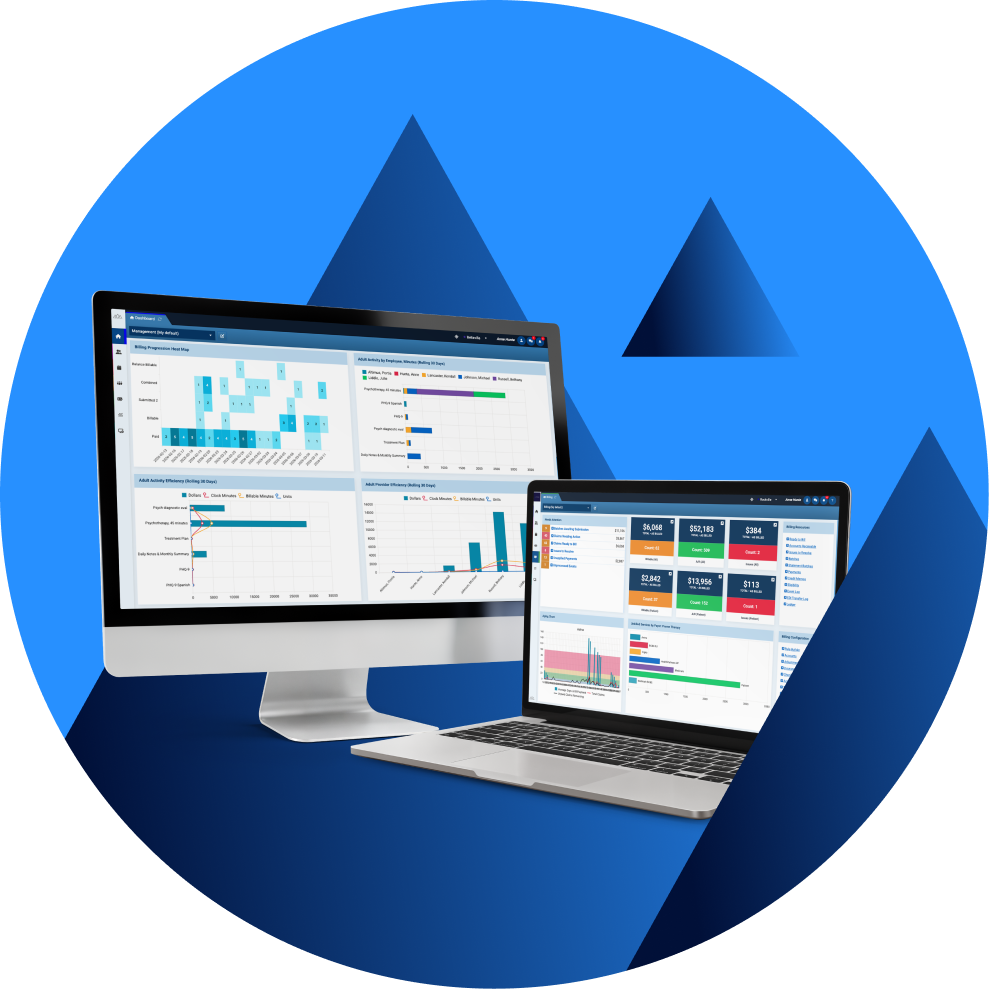
Proven’s approach is to make AI and Practice Intelligence part of the same environment in which care is scheduled, documented, managed and billed. AI can assist with documentation and forms, while Proven Pulse gives clinicians, supervisors and organizational leaders visibility into what is happening across the practice.
For example, AI built into a ProvenEHR form can turn a clinician’s structured answers into narrative, draft treatment plan goals and objectives for review, and prepare a pre-service briefing that reminds the provider of the client’s treatment goals. Interventions stay with the clinician, because choosing them is a clinical judgment.
This approach provides:
- AI capabilities within existing EHR workflows
- Practice Intelligence using live platform data
- One source of truth
- No separate AI or business-intelligence software to manage
- Human review of AI-assisted clinical outputs
- A platform designed around behavioral health operations
The guiding principle is to give clinicians, supervisors and practice leaders useful assistance to provide better care and better outcomes.
See the workflow in practice. Request a demo of ProvenEHR using a realistic behavioral health scenario.
Frequently asked questions about AI-native EHRs
What is an AI-native EHR?
What is the difference between an AI-native and AI-powered EHR?
AI-powered usually means that AI performs several important functions. AI-native goes further by indicating that the platform’s underlying architecture, data and workflows were designed to support integrated AI. Because vendors use the terms inconsistently, buyers should evaluate how the system works rather than relying on the label.
Is an AI scribe the same as an AI-native EHR?
No. An AI scribe captures or receives encounter information and produces a draft note. It is one AI feature. An AI-native EHR connects AI assistance to the wider clinical, operational and administrative platform.
Are AI-native EHRs more secure than AI add-ons?
Not automatically. Security depends on the design and operation of the specific platform. Native AI can reduce the number of vendors, copies of data and separate access-control systems involved, but organizations should still examine permissions, retention, subprocessors, audit trails and security practices.
Does an AI-native EHR replace clinician judgment?
No. AI can prepare drafts, identify information or suggest actions, but responsible healthcare professionals remain accountable for clinical decisions and final records.
What should behavioral health organizations look for?
Behavioral health organizations should evaluate how AI supports documentation, treatment planning, authorizations, clinical review, billing controls, caseload management and reporting. They should also examine privacy protections, human oversight and the handling of sensitive records.
Does an AI-native EHR cost more?
Not necessarily. A native platform may reduce the need for separate AI, analytics and integration subscriptions. Organizations should compare the complete cost of implementation, licensing, support and administration rather than looking only at the base EHR price. Some native platforms still price specific capabilities, such as ambient listening, separately, so confirm exactly what the subscription includes.
Make the decision with evidence
The strongest choice is the system that proves it can support the work your organization needs to do.
Map the workflows. Weight the requirements. Run the same tests. Record the evidence.
That process takes discipline, but it leads to a decision the team can defend.